


Create project in RSLogix 5000 is the first step for anybody learning Rockwell Automation controllers. This practical guide walks you through every step through each step, from starting a new project file to naming your controller and configuring the chassis. And, you can start programming with certainty. Whether you are using a CompactLogix 5370 or a ControlLogix system, understanding RSLogix 5000 architecture makes your PLC run faster and more reliably.
The first step in creating a project in RSLogix 5000 is programming the PLC. Many people wonder whether this software is compatible with every PLC. RSLogix 5000 works with families such as ControlLogix and CompactLogix including the well-known CompactLogix 5370 series.
If you are pursuing PLC training and in case you need assistance starting a new project, here is a very basic guide that will help you.
First of all, open the RSLogix5000 application on your laptop or PC. In case you do not have the software on your PC, you may find it through the Rockwell Automation website.
https://compatibility.rockwellautomation.com/Pages/Home.aspx
You may sometimes search for Rockwell software download, Rockwell download software, or Rockwell automation software, but I am showing you how easily you can search RSlogix 5000 from the Rockwell website and download. Open the above Link and it will show like this as shown below.
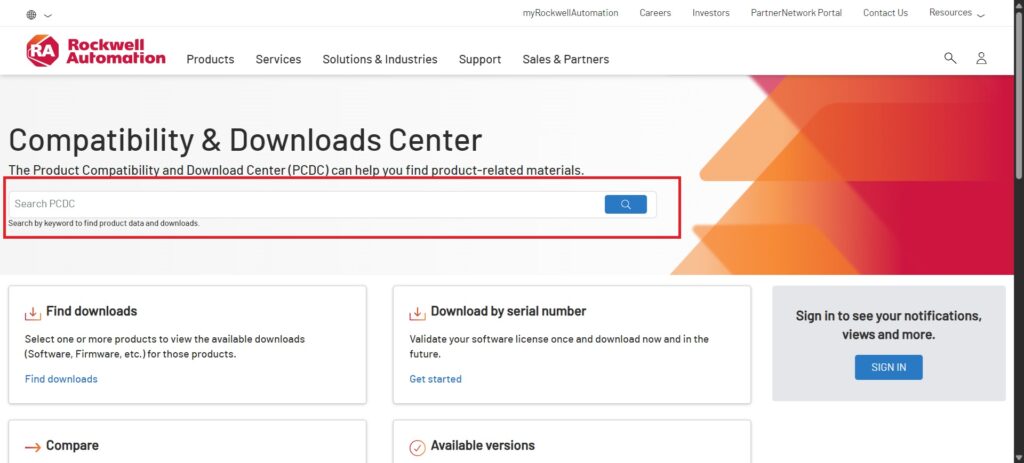
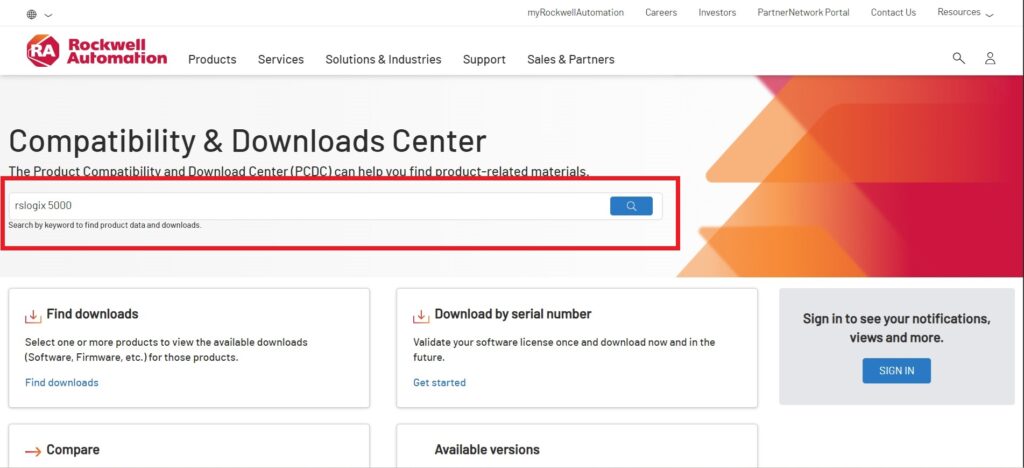
After that you can search with search with the keywords like RSLogix 5000 or RS Logix 5000 or RSLogix5000 as shown below.
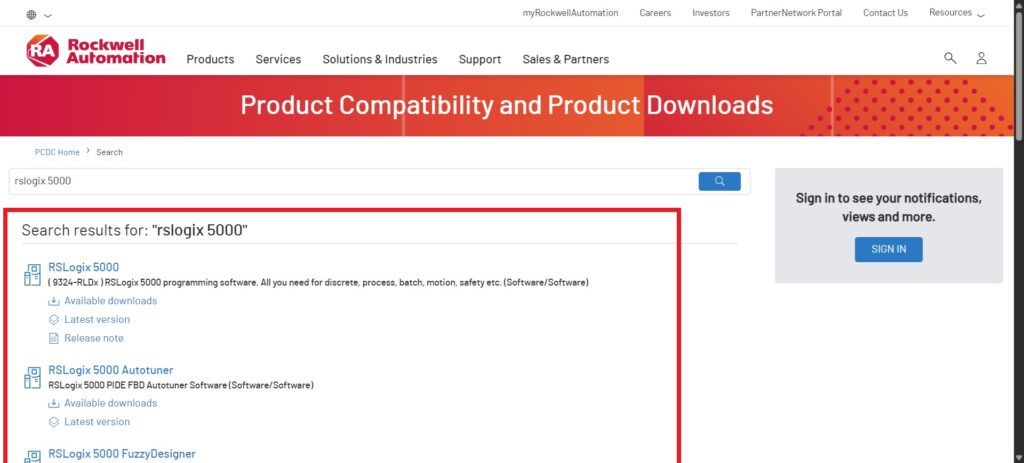
it will show you the available latest software to download.
You can click RSLogix 5000 to see the available version to download as shown below.
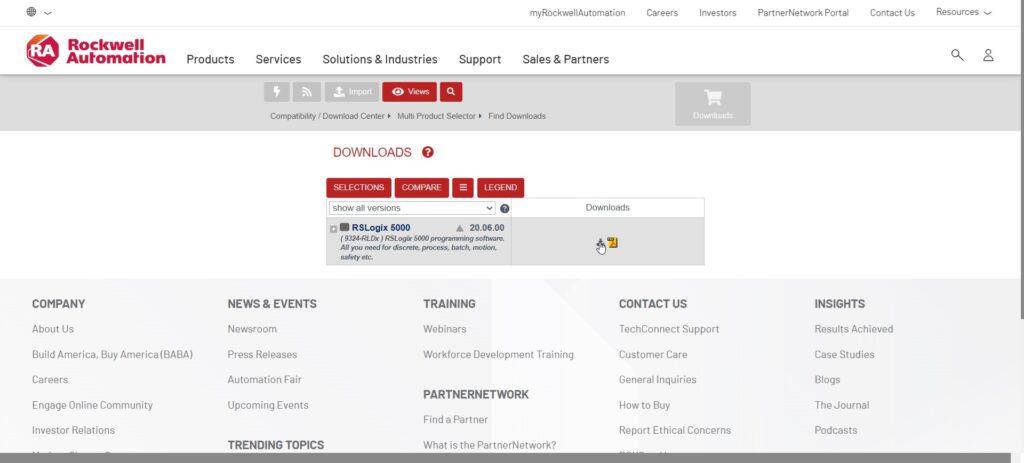
You need to create the account of Rockwell Automation website, then you will be able to download it from the website. I shown you all these steps to guide you to download original software from the website.
If you need my support with the download, simply leave a comment, and I will be happy to help you.
Create new project
Open the RSLogix 5000 that you installed.
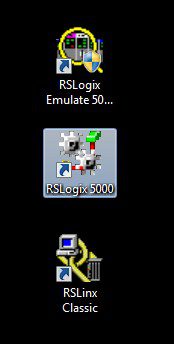

To Create project in RSLogix 5000, Go to File > New Project.

- Select your controller type. For example, if you’re working with a CompactLogix PLC or ControlLogix, choose the right series and controller that you have it.
Popular CompactLogix series include:
– 1768 CompactLogix – earlier generation, modular with expansion options.
– 1769 CompactLogix – highly popular, supports multiple I/O modules and communication modules.
– 5370 CompactLogix (L1, L2, L3 controllers) – widely used, offering scalability and Ethernet communication connectivity.
– 5380 CompactLogix – modern, faster, and ideal for high-performance applications.
– 5480 CompactLogix – integrates Windows 10 IoT with real-time control, designed for advanced applications.
The 5370 and 5380 series are the most popular today because of their balance between cost, performance, and scalability.
Popular ControlLogix series include:
– 1756 ControlLogix 5550 – early generation, now legacy but historically very popular.
– 1756 ControlLogix 5560 – used widely in industrial plants for years.
– 1756 ControlLogix 5570 – extremely popular, offering better performance and enhanced security.
– 1756 ControlLogix 5580 – latest generation with improved speed, memory, and connectivity for Industry 4.0 applications.
The 5570 and 5580 series are the most popular in modern plants due to their reliability and support in Studio 5000 Logix Designer.
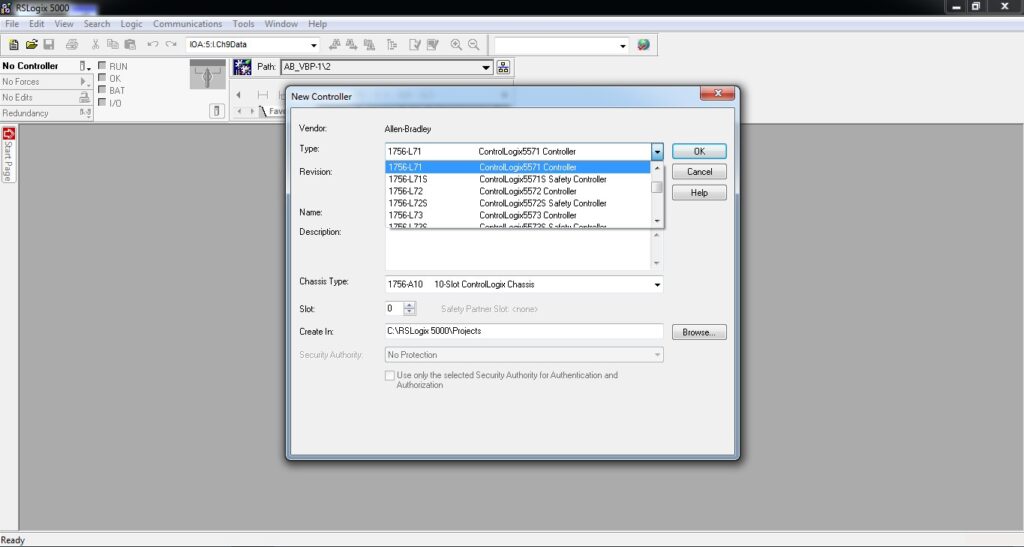
I have chosen Emulator 5000 because I am going to work with simulation instead of a real PLC.

This video demonstrates how to create project in RSLogix 5000 using the Emulator 5000 on a laptop.
Enter a project name. Keep it short and clear. This is very important because if you have many projects then it become very hard to find out the right project file without proper naming.
Choose the chassis Type that support your hardware either 4-slot chassis, 7-slot chassis or 10-slot chassis.
After choosing the right controller, Naming the project and selecting the right chassis, you are able to move to start programming in RSLogix 5000.

This quick tutorial explained you how to create a project in RSLogix 5000. In the next article, I will provide a detailed, step-by-step guide to programming and electrical wiring.
Summary | Step‑by‑Step Guide to Create Project in RSLogix 5000
Starting your first project can feel like walking into the control room for the first time, a lots of buttons, plenty of excitement. To create project in RSLogix 5000, open the program, choose File → New Project, and pick the right controller or simulator depends on available resources. Whether you’re running a CompactLogix 5370 or a ControlLogix unit, give your project a short, clear name so you can spot it instantly later.
Once the chassis type is selected, save the file and take a quick look at the automatically generated I/O configuration tree. Seeing how RSLogix 5000 organizes your controller and modules helps you understand how information moves through a system. Add a few example tags and watch how ladder instructions reference them—it’s the quickest way to see real logic come alive.
After you create project in RSLogix 5000, always verify communication with the PLC or Emulator 5000 before writing complex routines. That simple habit avoids “controller not responding” messages and keeps your work frustration‑free. As you grow more comfortable, explore Studio 5000 Logix Designer, the newer version built on the same principles; the skills and shortcuts transfer directly.
Tips for Smooth RSLogix 5000 Project Work
When you create project in RSLogix 5000, take a few minutes to plan your tag names and comments first. Clear labeling makes troubleshooting faster when the line is running and maintenance teams jump in. RSLogix 5000 lets you organize logic into routines and programs to use that structure to mirror how your machines actually operate.
After you’ve successfully create project in RSLogix 5000, experiment with Emulator 5000 to test sequences safely. You’ll build confidence quickly without worrying about real‑world outputs. Each trial teaches new shortcuts that also apply inside Studio 5000 Logix Designer, so you’re learning industry‑standard habits from day one.
Create project in RSLogix 5000, then try a variety of practice examples to develop your programming experience without needing a physical PLC.
Frequently Asked Questions about RSLogix 5000 Project Creation
Q1: What is RSLogix 5000 project creation?
A1: It’s the setup of a new PLC program in Rockwell’s Logix Designer where you define controller type, chassis, and tags.
Q2: Which PLCs work with RSLogix 5000?
A2: ControlLogix and CompactLogix families including CompactLogix 5370 and ControlLogix 5570 series.
Q3: How do I start a new project in RSLogix 5000?
A3: Open the software, select File > New Project, pick the right controller, assign a name, and click OK.
Q4: Can I use RSLogix 5000 without a real PLC?
A4: Yes, the Emulator 5000 allows simulation on your laptop for safe testing.
Q5: Where can I download RSLogix 5000 software?
A5: From Rockwell Automation’s official download center after creating an account.
Q6: What are tags in RSLogix 5000?
A6: Tags store input, output, and internal signals, replacing older address‑based systems.
Q7: What is an alias tag?
A7: A nickname linked to another tag; it makes logic easier to read.
Q8: What is the difference between program and controller tags?
A8: Controller tags are global; program tags apply only inside one program.
Q9: What steps come after creating a project?
A9: Add I/O modules, create tags, write ladder logic, and verify the project before downloading.
Q10: How do I add I/O modules?
A10: In the I/O Configuration, right‑click the chassis, choose New Module, and follow the wizard.
Q11: What are common data types?
A11: BOOL, INT, DINT, REAL, arrays, and custom user‑defined types (UDTs).
Q12: What is a UDT?
A12: A structure combining multiple signals into one organized tag for reuse.
Q13: Can RSLogix 5000 communicate with other PLCs?
A13: Yes, by producing and consuming tags across Ethernet or ControlNet networks.
Q14: How do I verify logic?
A14: Use Verify Project to check for syntax errors and missing tags before download.
Q15: Does it run on Windows 10?
A15: Yes, most versions support Windows 10 and later; check the compatibility chart first.
Q16: What is Studio 5000?
A16: The modern platform that evolved from RSLogix 5000 with additional features for motion and safety.
Q17: Can I back up a project?
A17: Yes, regularly save the .ACD file to secure storage or cloud backup.
Q18: How do timers and counters work?
A18: Use TON, TOF, CTU, or CTD instructions with preset and done bits for time control or counting.
Q19: Why is naming important?
A19: Good naming simplifies debugging and helps teams work on the same project efficiently.
Q20: Is it hard to learn RSLogix 5000?
A20: With practice and the emulator, any beginner can learn ladder logic within a few weeks.
Q21: What license type is required?
A21: RSLogix 5000 needs a FactoryTalk Activation license that may be node‑locked or floating.
Q22: Can I convert from RSLogix 500 to 5000?
A22: You’ll need to rebuild logic because the controllers use different architectures.
Q23: What are common programming errors?
A23: Mismatched data types and missing tags; Verify Project helps find and fix them.
Q24: Where can I learn more in the USA?
A24: Rockwell’s training portal and YouTube channels like RealPars offer beginner‑friendly tutorials.
